Switchboard
Product tour

Everything a front desk does, in one place.

A look at Switchboard as a practice would use it. Every screen below uses sample data: a fictional practice and fictional clients.

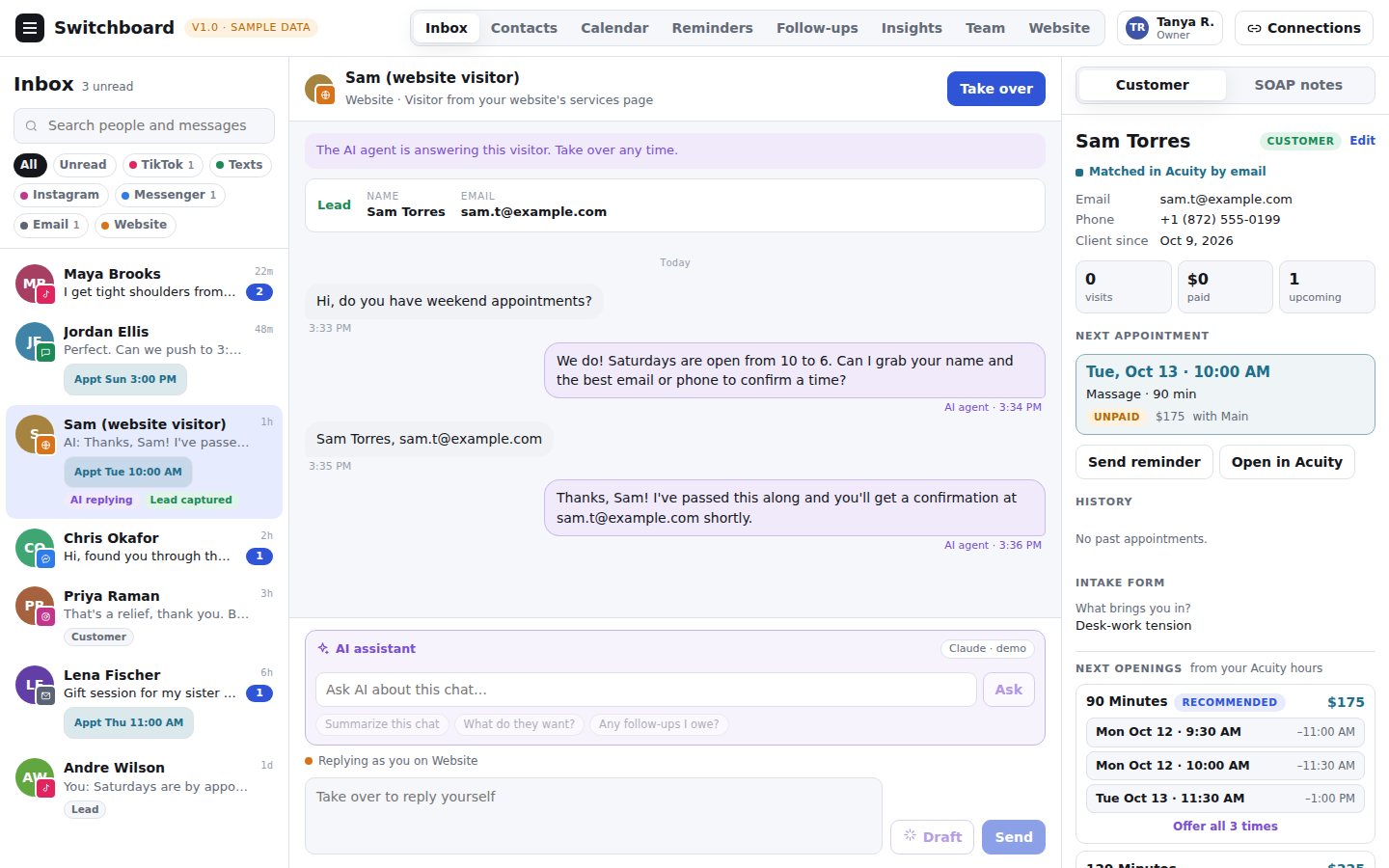
A shared inbox with the booking beside it

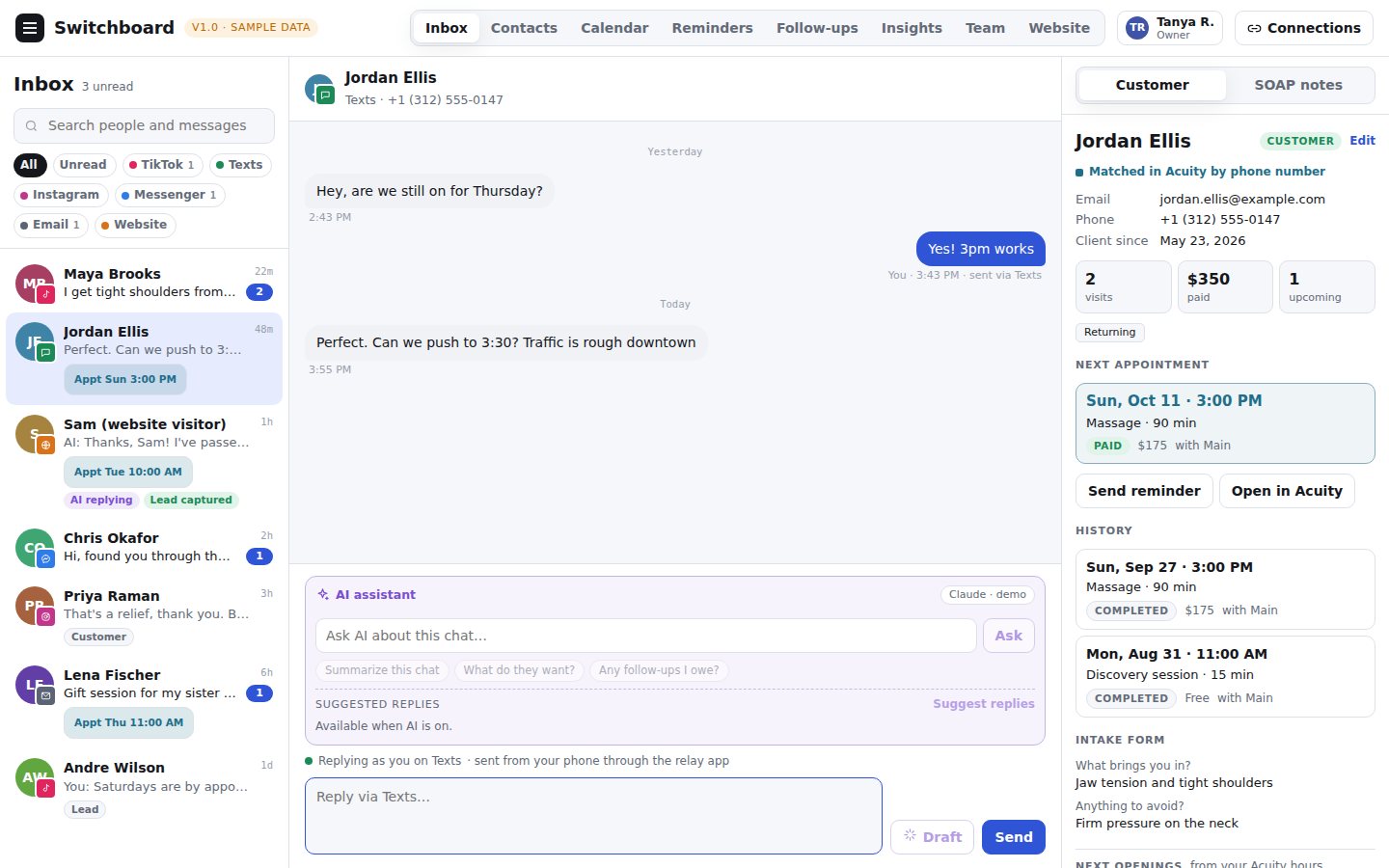
Each conversation shows who the person is, whether they are already a client, their next appointment and the times you have open, pulled from your Acuity Scheduling account.

  • Website chat and email in one list, with Facebook Messenger, Instagram and TikTok joining as each is approved, and an unread count on each channel.
  • Next appointment, history and intake answers beside the chat.
  • Offer open times, or send your booking link, with one click.
Sample data — a fictional practice and clients
The inbox with a conversation open and the client's appointment details beside it

Website chat that captures the lead

Add a small chat bubble to your own website. Visitors can ask a question at any hour, and every conversation lands in your inbox, where you can take over at any moment.

  • Collects a name and contact details for you.
  • The optional AI assistant answers from a short brief you write, and is off until you switch it on.
  • You always see exactly what was said.
Sample data — a fictional practice and clients
A website visitor's chat in the inbox, with the captured contact details shown

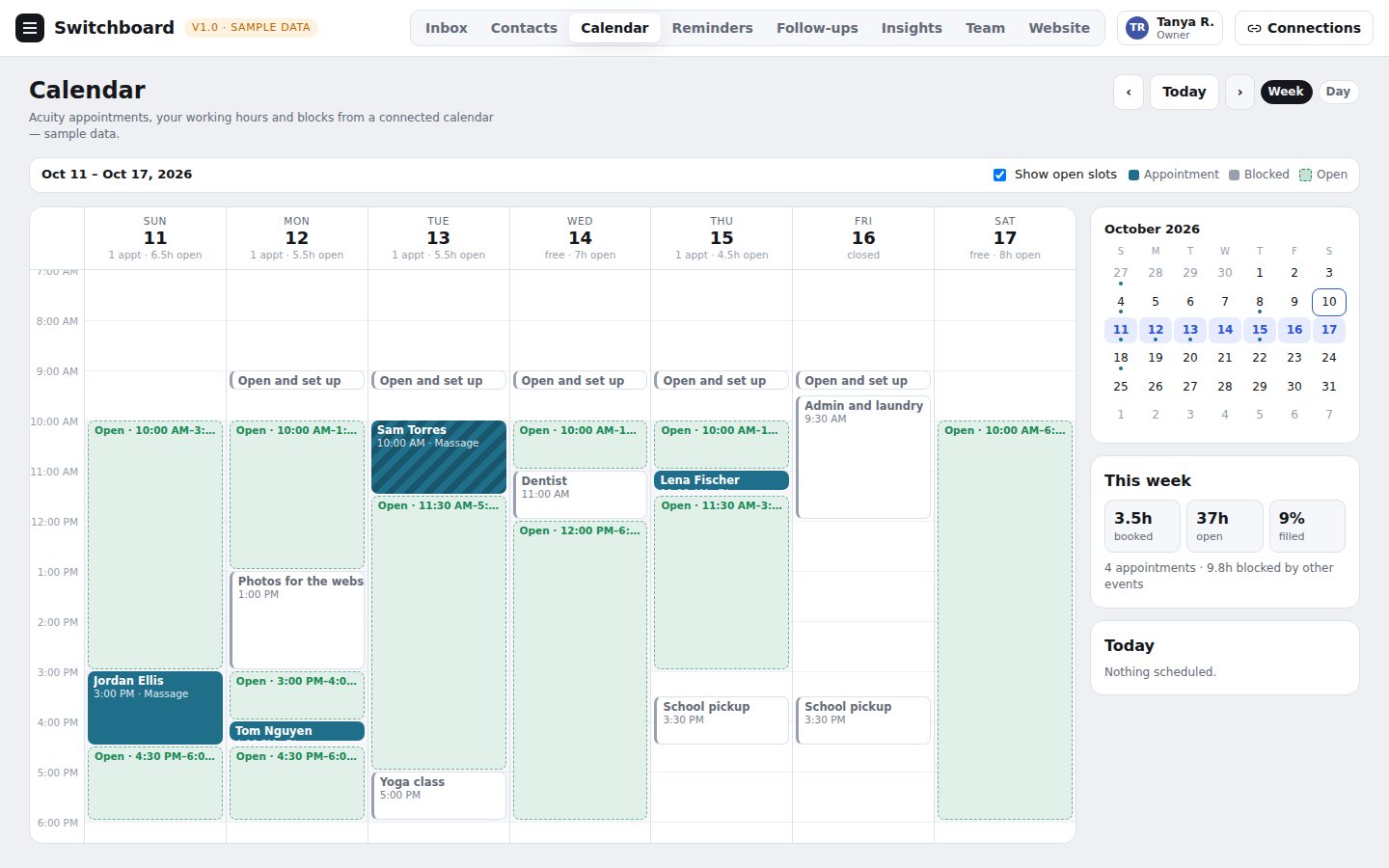
A calendar that tells the truth

Your calendar shows what is really in Acuity: your appointments, your working hours, and the blocks from your other calendar. Open times come from your real availability.

  • Week and day views, with open slots you can show or hide.
  • Hours and blocks come from your accounts, not guesses.
  • Booked, open and blocked time at a glance.
Sample data — a fictional practice and clients
The week calendar showing appointments, blocked time and open slots

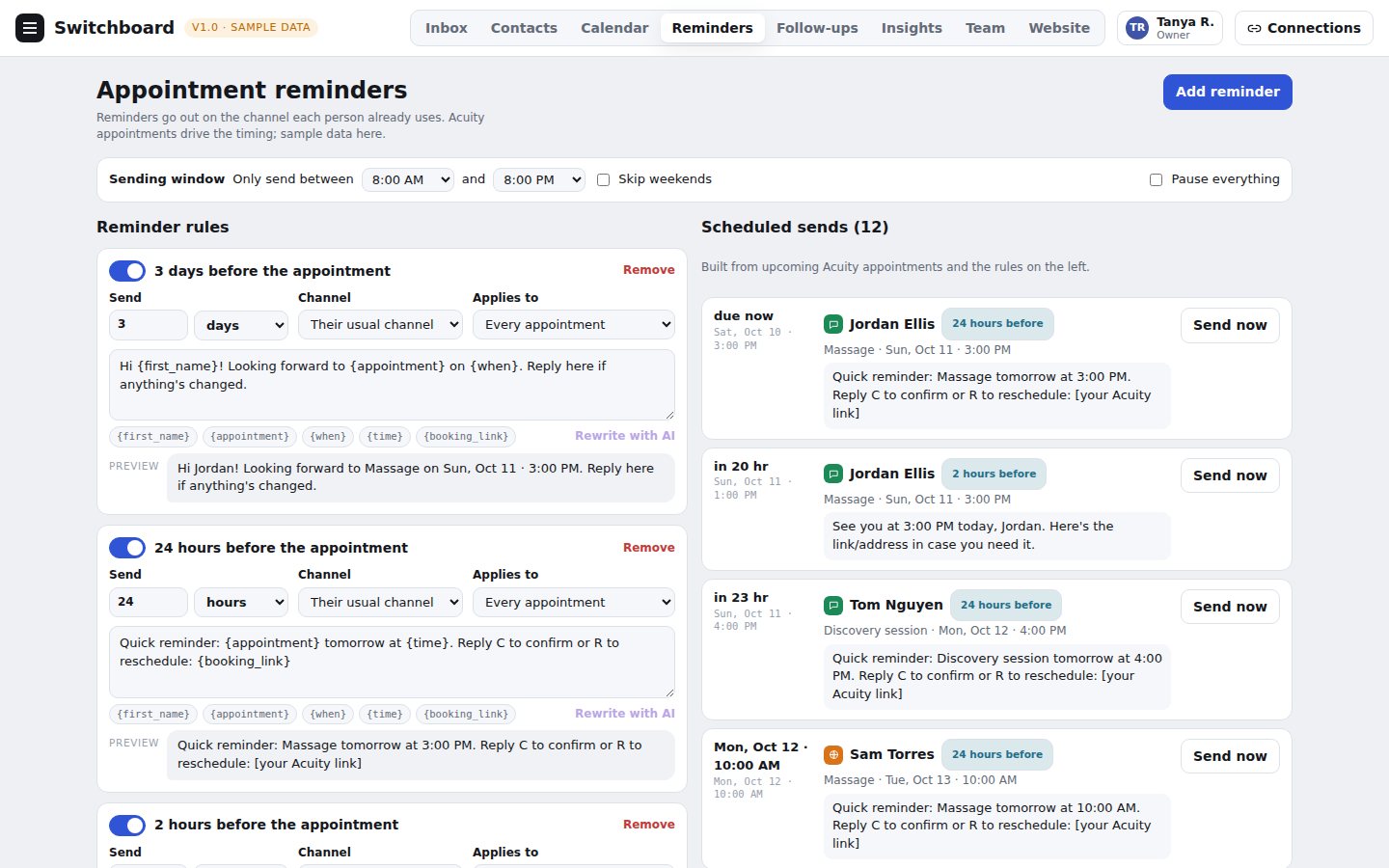
Reminders that send themselves

Set up reminders once, such as three days and one day before an appointment, and they go out on the channel each client already uses. You can preview every message before it sends.

  • Messages fill in the client's name and appointment details.
  • A sending window and a pause switch keep you in control.
  • Anything scheduled shows in a list you can send early.
Sample data — a fictional practice and clients
The appointment reminders page with rules and the list of scheduled sends

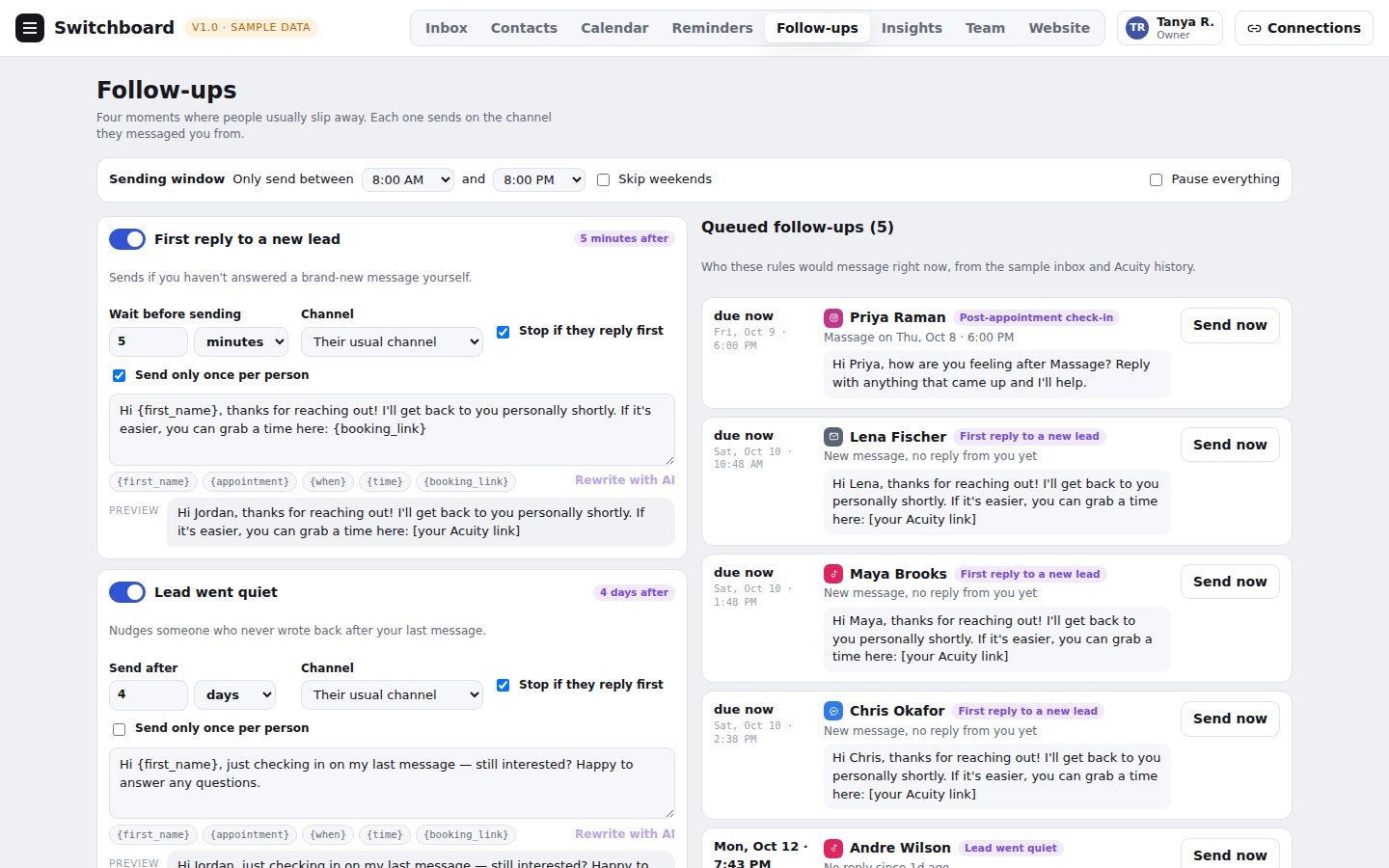
Follow-ups for the moments people slip away

A new message nobody answered, a lead who went quiet, a check-in after a visit, and a nudge to rebook. Each is a rule you can switch on, reword and limit.

  • Stops if the client replies first.
  • Only one message per person, if you want.
  • See who the rules would contact right now.
Sample data — a fictional practice and clients
The follow-ups page with rules and the list of queued messages

Contacts that stay in sync

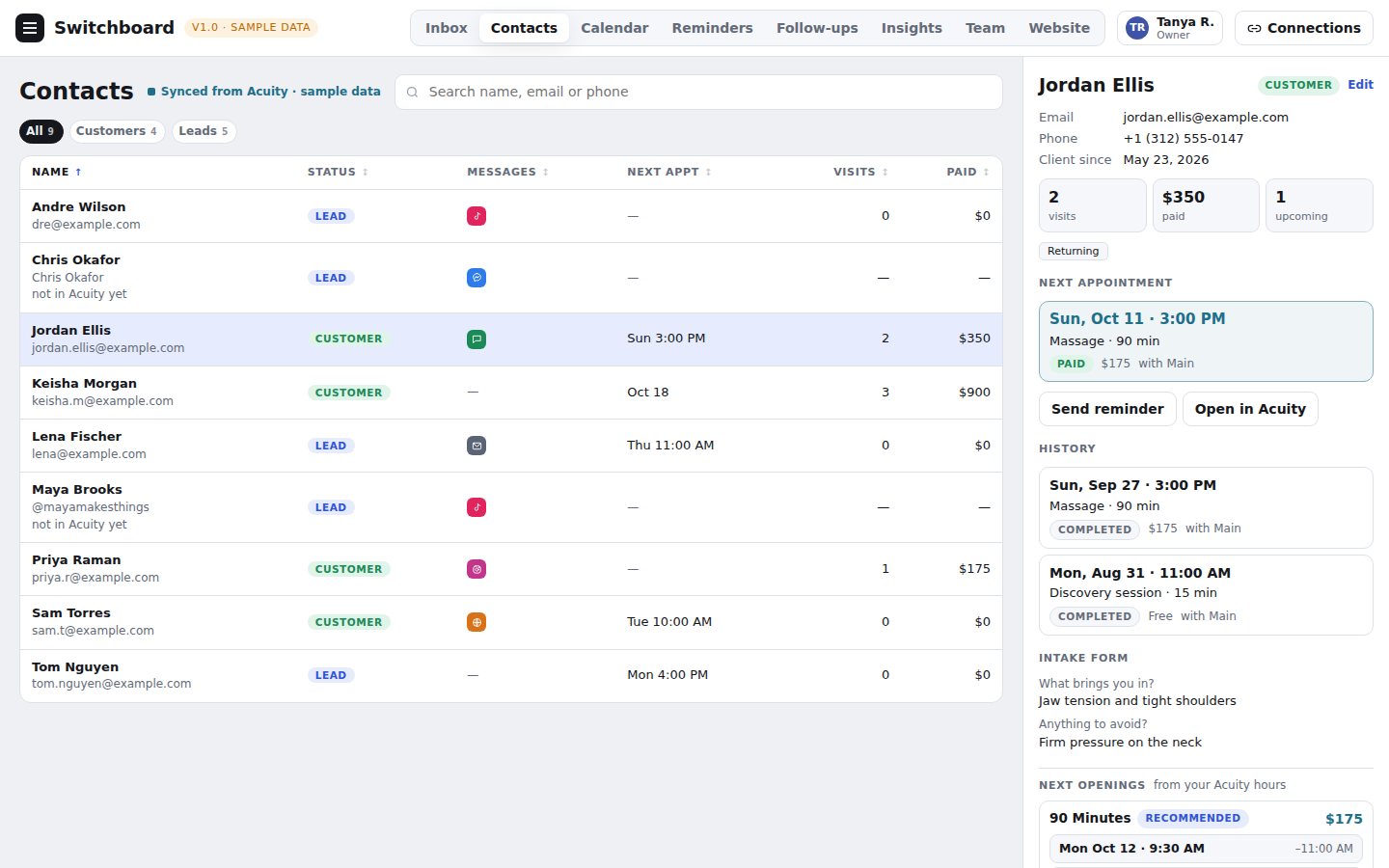
Your Acuity clients and your new leads in one list, with visits, spend and the channel each person uses. Click anyone to see their full history.

  • Sort by name, next appointment, visits or amount paid.
  • Edit a contact's details in place.
  • See every conversation with that person.
Sample data — a fictional practice and clients
The contacts list with a client's details open

The right access for each person

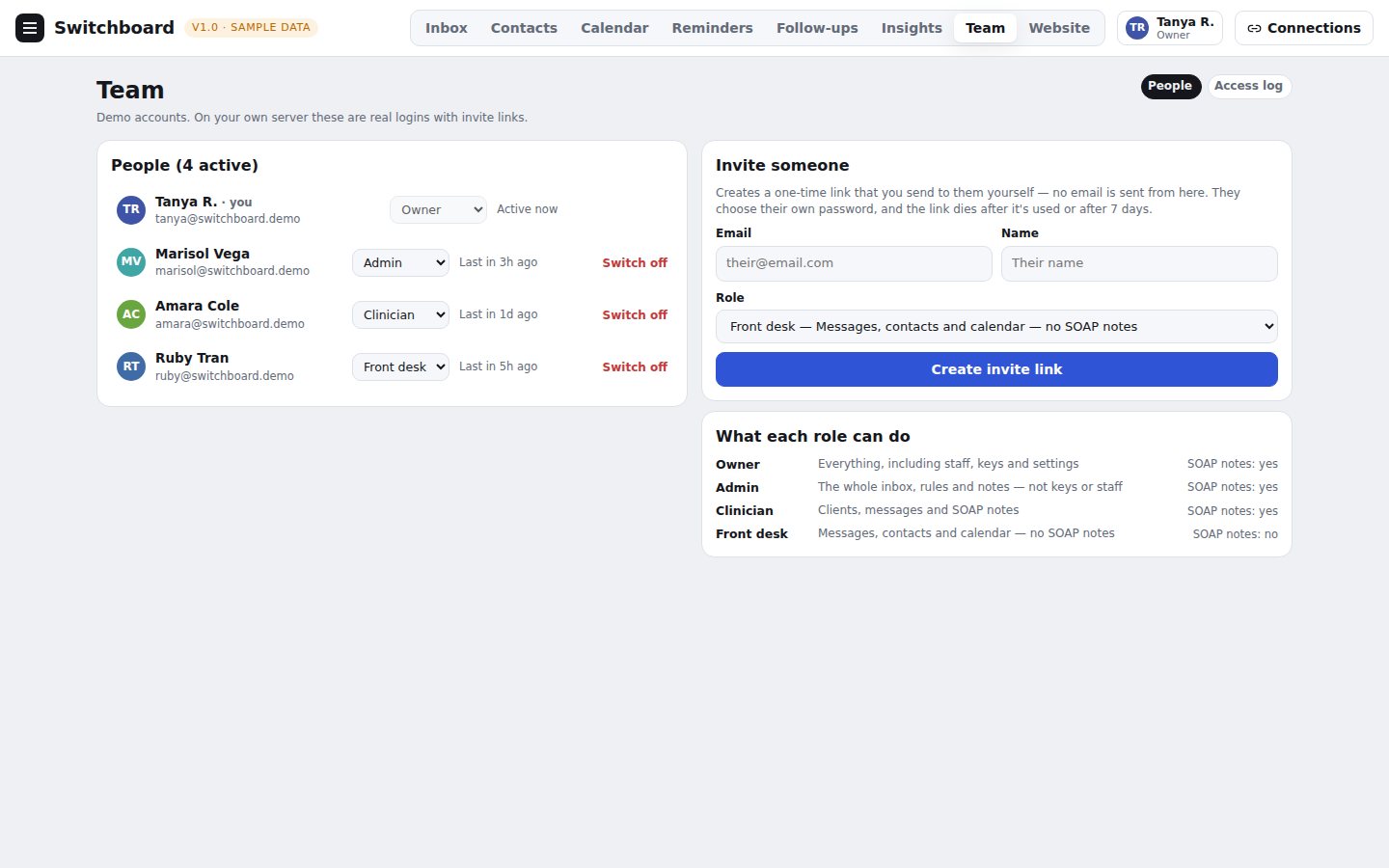
Invite your team with a one-time link and give each person a role. A front desk person can reply to messages without seeing private notes.

  • Owner, admin, clinician and front desk roles.
  • Notes are encrypted, and every look at a note is logged.
  • Switch a person off at any time.
Sample data — a fictional practice and clients
The team page showing four people with different roles

Where each channel stands

Some channels depend on approval from the platforms that run them, so we list what works now.

ChannelStatusNotes
Website chatAvailableLive on a practice's own website today.
Booking (Acuity Scheduling)AvailableAppointments, open times and clients appear beside each conversation.
Email (Gmail or Google Workspace)Being connectedBuilt and tested; being set up with the first practice's mailbox.
Facebook MessengerAwaiting platform approvalMessages to a practice's Facebook Page. Meta reviews apps before a business can connect, so we have applied and will turn it on once approved.
Instagram direct messagesAwaiting platform approvalMessages to a practice's Instagram business account, through the same Meta review.
TikTok direct messagesAwaiting platform approvalMessages to a practice's TikTok business account. TikTok reviews applications before access is granted.
Text messagesPlannedNot available yet.

Private by design

The messages in your inbox are personal, and we treat them that way. Read the privacy policy, or see how anyone can ask for their data to be deleted.

A server of its own

Every practice runs on its own private server and database. Practices never share one.

Notes are encrypted

Notes and saved connection details are encrypted before they are stored, and backups are taken every night.

Roles and a record

Owner, admin, clinician and front desk each see only what they need, and every look at a note is written to an access log.

See it with your own practice in mind

Book a short walkthrough and we will show you the inbox, the calendar and the reminders, and talk through how your channels would connect.

Book a walkthrough